Contributing
We very much appreciate contributions to the Bioconductor community blog from the broader community. If you are interested in publishing some of your own work or insights, we’d love to hear from you!
Requirements
There are a few minimum requirements for a blog post to be considered for acceptance (adapted from SciPy).
- The main subject must relate to Bioconductor.
- Content is published under Creative Common CC-BY-4.0 License for the text and BSD 3-Clause License for any code.
- You have the right to publish any images included.
- Images must be optimised (see below).
- Images must contain alt text for accessibility.
- The post and authors abide by the Bioconductor Code of Conduct.
- The post must be written in English or a language we have a reviewer for. If not English, please open a GitHub issue to check we can review.
How to contribute
Articles posted on the Bioconductor community blog are authored using Quarto. The way to contribute a new article is as follows:
- Fork the repository
Create a fork of the biocblog repository on GitHub and clone it to your local environment. 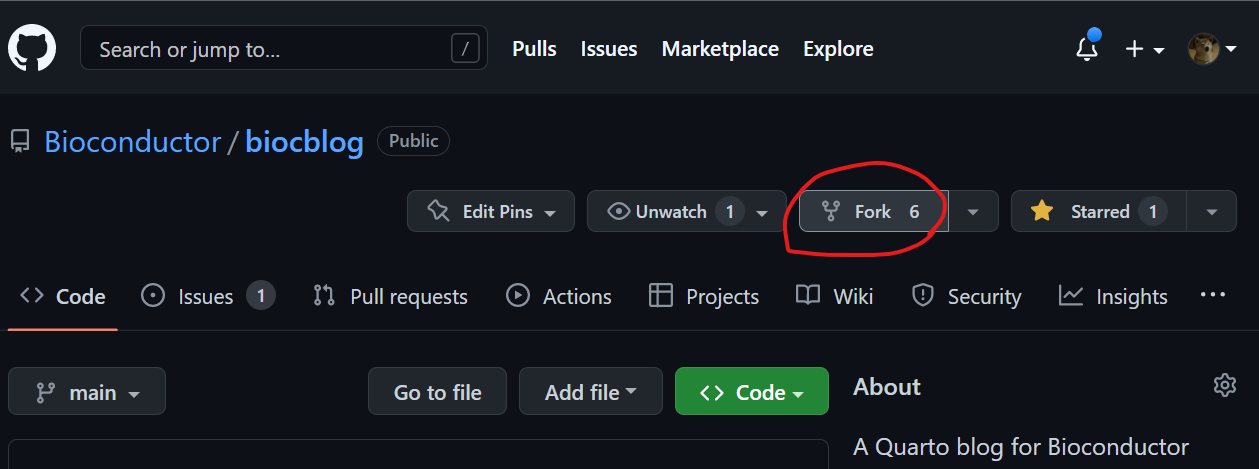
✅ We recommend creating a branch in your fork for your post (e.g., my-blog-post) instead of committing to main. This keeps your fork clean and makes future contributions easier.
- Set up your environment
Install RStudio and double click the biocblog.Rproj file in the cloned repo.
Create your post
In the
postsdirectory, create a new folder named with the date and a short descriptive name for your post, for example:posts/2025-11-24-ethiopia-courseInside that folder, create your
.qmdfile using the same date in the post’s front matter.Choose a date at least one week after you plan to open the PR. This gives time for review and scheduling before the post is published and promoted on Bioconductor social media channels. If multiple posts are submitted around the same time, we typically space them out by a day or so to improve visibility across channels.
Open the
.qmdfile in RStudio and preview your content using the Preview Website button under theBuildtab: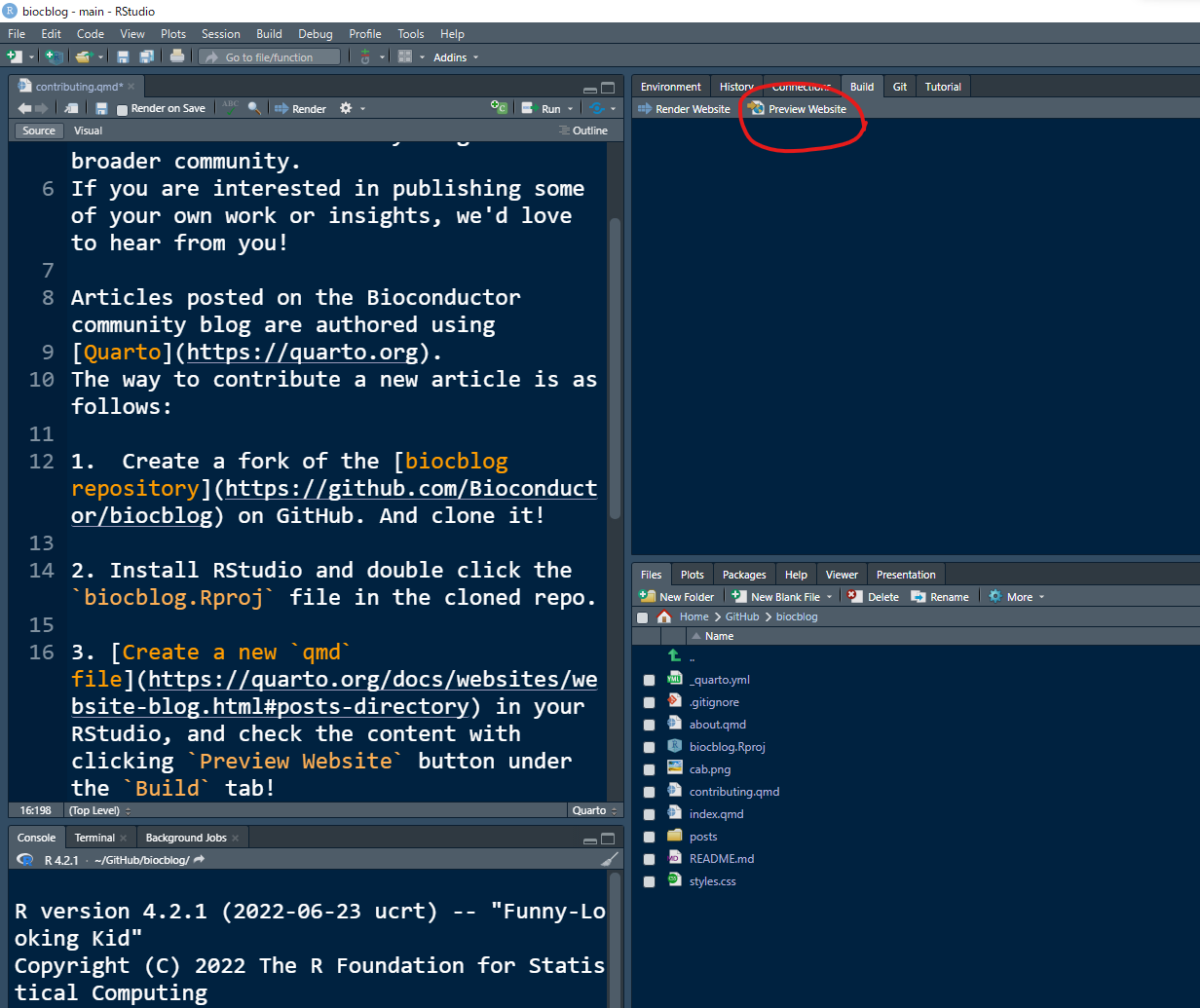
If including images:
- Optimize images before committing to keep pages fast and the repository lightweight:
Use JPEG format for all images (PNG only if transparency is required).
Resize and compress using ImageMagick:
magick input.jpg -resize 1200x -strip -quality 70 output.jpg✅ Aim for <500KB per image.
✅ If starting from PNG and transparency is not needed, convert to JPEG:magick input.png -resize 1200x -strip -quality 80 output.jpg
- Add Alt Text for accessibility:
- In Quarto, use
fig-altfor alt text and the bracket text for captions:
{fig-alt="Photo of Contributor" fig-align="center"}- If you don’t want a caption, leave the brackets empty:
{fig-alt="Photo of Contributor" fig-align="center"}- Optimize images before committing to keep pages fast and the repository lightweight:
If including code:
Render the qmd locally and commit files changed in the _freeze directory.
- Commit your changes
Commit the raw .qmd plus any static files you added/updated in the post’s source directory or _freeze directory.
❌ Do not commit generated files such as .html.
- Open a Pull Request
Submit a PR from your branch to main in the Bioconductor repo. We’ll review your article, suggest changes as needed, and publish it when ready.
© 2026 Bioconductor. Content is published under Creative Commons CC-BY-4.0 License for the text and BSD 3-Clause License for any code. | R-Bloggers